
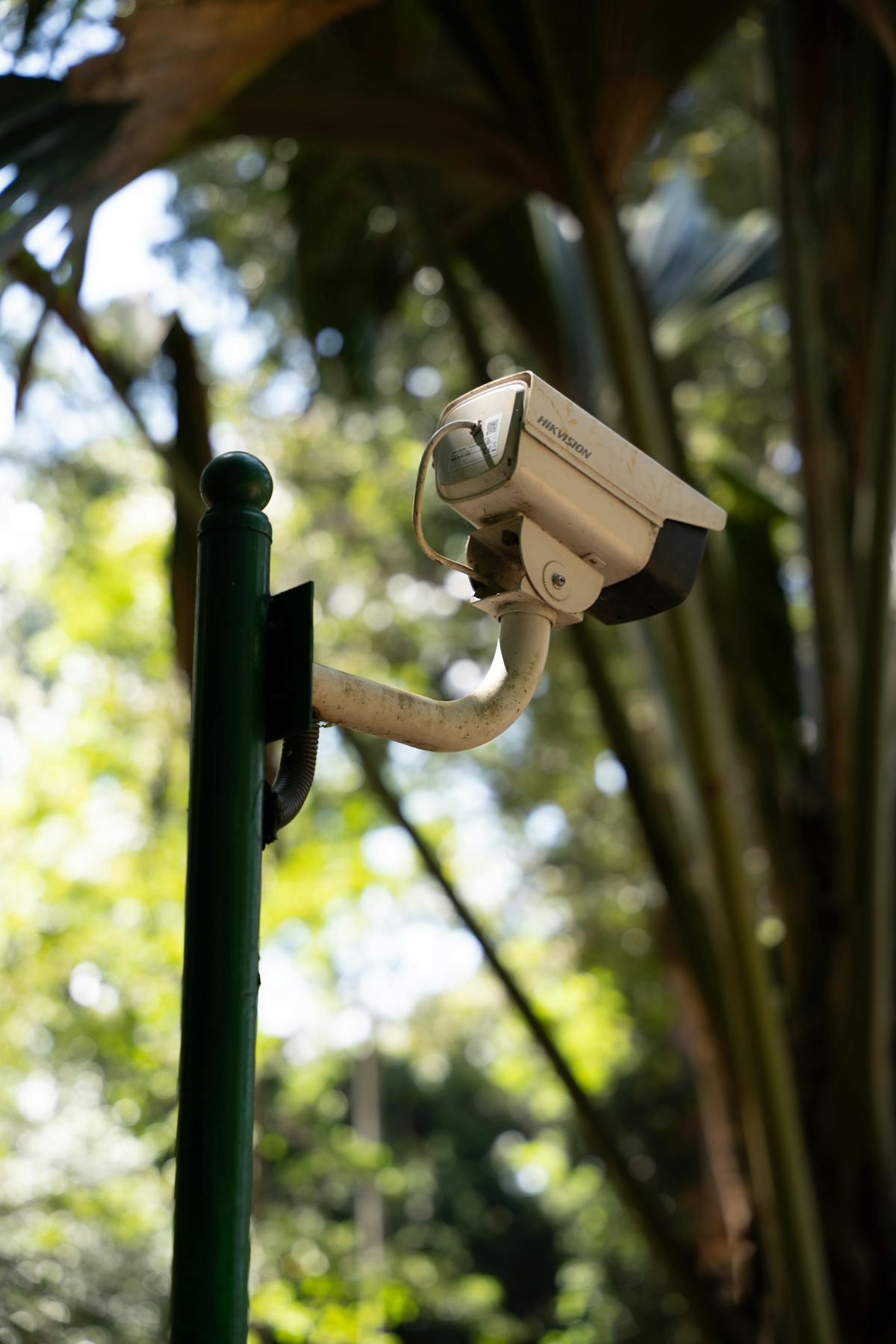

Wired PoE cameras and wireless WiFi cameras represent the two dominant connectivity methods for modern security systems, and the right choice depends on whether you prioritize signal reliability or installation flexibility. Wired PoE cameras transmit video and receive power through a single Ethernet cable, delivering consistent footage without interference. Wireless WiFi cameras connect to your existing network over radio frequencies, eliminating cable runs but introducing potential signal disruptions. This comparison breaks down every factor — from installation complexity and video quality to long-term costs — so you can determine which technology fits your property. If your situation calls for a blend of both, a professional installer can design a hybrid system tailored to your property layout.
What Is a Wired (PoE) Security Camera?
A wired PoE (Power over Ethernet) security camera is a surveillance device that receives both electrical power and data transmission through a single Cat5e or Cat6 Ethernet cable. PoE technology conforms to the IEEE 802.3af/at standard, which allows up to 25.5 watts (PoE) or 51 watts (PoE+) to be delivered alongside network data over distances up to 100 meters (328 feet) from the PoE switch or NVR.
PoE cameras became the professional installation standard in the mid-2010s, replacing older analog coaxial systems in most commercial and high-end residential deployments. The global PoE market for security applications exceeds $1.5 billion annually, reflecting widespread adoption across industries.
How Wired (PoE) Cameras Work
PoE cameras operate by connecting to a PoE-enabled switch or NVR through structured Ethernet cabling. The PoE switch injects DC power into the unused wire pairs of the Ethernet cable, while data travels on the remaining pairs. The camera receives both power and network connectivity from this single connection, then transmits compressed video (typically H.265 or H.264) to the NVR or cloud endpoint.
Installation involves running Ethernet cables from each camera location back to a central PoE switch or NVR. Professional installers typically route cables through walls, attics, or conduit to maintain a clean appearance. Each camera receives a unique IP address on the local network, enabling individual configuration of resolution, frame rate, motion zones, and alert settings.
Key Advantages of Wired (PoE) Cameras
- Uninterrupted signal delivery — Ethernet cables are immune to WiFi interference from neighboring networks, microwaves, Bluetooth devices, and physical obstructions
- Consistent bandwidth — Each camera gets a dedicated 100 Mbps connection, supporting 4K streams at 30 fps without congestion
- Single-cable simplicity — One Ethernet cable replaces separate power and data cables, reducing installation material costs
- Extended range — Cable runs up to 328 feet (100 meters) without signal boosters or repeaters
- No battery replacement — Continuous PoE power eliminates battery maintenance entirely
- Higher reliability for 24/7 recording — Wired connections maintain consistent throughput for continuous NVR recording
- Tamper resistance — Cables concealed in walls or conduit are far harder to disable than wireless signals
Key Limitations of Wired (PoE) Cameras
- Higher installation labor — Running Ethernet cables through finished walls, ceilings, and exteriors requires professional skill and adds labor hours
- Less flexible repositioning — Moving a camera means running a new cable to the desired location
- Infrastructure dependency — Requires a PoE switch or PoE-capable NVR, adding upfront equipment cost
- Drilling and patching — Cable routing may require holes in walls and exterior surfaces, which must be sealed against moisture
- Not ideal for renters — Permanent cable runs are impractical in rental properties where modifications are restricted
What Is a Wireless (WiFi) Security Camera?
A wireless WiFi security camera is a surveillance device that transmits video data over a WiFi network (802.11ac or 802.11ax) to a local recorder or cloud server. Most WiFi cameras still require a power source — either a nearby outlet or a rechargeable battery — so “wireless” refers specifically to the data transmission, not necessarily the power supply.
WiFi cameras dominate the consumer market, with brands like Ring, Arlo, Blink, and Reolink driving adoption among homeowners who prefer simple setup without professional cabling.
How Wireless (WiFi) Cameras Work
WiFi cameras connect to a property’s wireless router using the 2.4 GHz or 5 GHz frequency band. The camera compresses video locally, then transmits the encoded stream over WiFi to a base station, NVR, or directly to cloud servers. Most models use H.265 compression to reduce bandwidth demands.
Battery-powered WiFi cameras activate recording only on motion detection to conserve energy, while plug-in WiFi cameras can record continuously. The camera communicates with a companion app on the user’s smartphone, enabling live viewing, two-way audio, and alert management from anywhere with an internet connection.
Signal strength depends on the distance between the camera and the nearest WiFi access point, as well as physical barriers like brick walls, metal siding, and concrete floors. WiFi extenders or mesh network systems can improve coverage for cameras placed far from the router.
Key Advantages of Wireless (WiFi) Cameras
- Fast installation — Most WiFi cameras can be mounted and operational within 15-30 minutes per unit with no cable routing
- Easy repositioning — Moving a camera requires only remounting the bracket and reconnecting to WiFi
- Renter-friendly — Minimal or no permanent modifications to the property structure
- Lower upfront cost — No PoE switch, NVR, or Ethernet cabling investment required for basic setups
- Remote access built in — Nearly all WiFi cameras include smartphone apps with live view, cloud playback, and push notifications
- Scalable in small increments — Adding a camera means buying one device and connecting it to the existing WiFi network
- Aesthetic flexibility — No visible cables running along walls or exteriors
Key Limitations of Wireless (WiFi) Cameras
- Signal interference — WiFi congestion from neighboring networks, appliances, and competing devices degrades video quality
- Bandwidth competition — Each camera consumes 2-8 Mbps depending on resolution; multiple cameras strain residential WiFi networks
- Battery maintenance — Battery-powered models require recharging every 2-6 months depending on activity levels
- Limited range — Effective WiFi range is typically 50-150 feet depending on obstacles; signal degrades through walls and floors
- Security vulnerabilities — WiFi signals can be jammed with inexpensive equipment, disabling camera feeds
- Latency and buffering — Live view may experience 1-3 second delays compared to wired connections
- Cloud dependency — Many WiFi cameras require a paid cloud subscription for full recording features
Wired (PoE) vs Wireless (WiFi) Cameras — Side-by-Side Comparison
| Factor | Wired (PoE) | Wireless (WiFi) |
|---|---|---|
| Installation Complexity | Moderate to high — requires cable routing through walls and ceilings | Low — mount, power, and connect to WiFi |
| Video Quality | Consistent 4K/8MP at 30 fps with no compression artifacts from bandwidth limits | Up to 4K, but quality may drop under WiFi congestion |
| Reliability | Very high — dedicated wired connection immune to interference | Moderate — dependent on WiFi strength and network congestion |
| Cost Upfront | $150-$400 per camera installed (camera + cable + labor) | $50-$250 per camera (camera + mount only) |
| Cost Ongoing | Minimal — electricity for PoE switch only | $3-$30/month per camera for cloud storage subscriptions |
| Scalability | Scales well with PoE switches supporting 8-48 ports | Limited by WiFi bandwidth — typically 8-10 cameras max on residential WiFi |
| Best For | Permanent installations, large properties, businesses, 24/7 recording | Renters, small homes, quick setups, budget-conscious homeowners |
Cost Comparison — Wired (PoE) vs Wireless (WiFi)
| Cost Category | Wired (PoE) — 4 Cameras | Wireless (WiFi) — 4 Cameras |
|---|---|---|
| Cameras | $400-$800 | $200-$600 |
| NVR / Base Station | $150-$400 | $0-$150 |
| PoE Switch | $50-$150 | N/A |
| Cabling & Connectors | $50-$150 | N/A |
| Professional Installation Labor | $300-$800 | $0-$200 |
| Cloud Storage (Annual) | $0 (local NVR) | $120-$360/year |
| Year 1 Total | $950-$2,300 | $320-$1,310 |
| Year 3 Total | $950-$2,300 | $560-$2,030 |
Wired PoE systems carry higher upfront costs but virtually no recurring fees when paired with local NVR storage. For a detailed dollar-by-dollar breakdown, see our wireless vs wired camera installation cost comparison. Wireless WiFi systems cost less initially, but cloud subscription fees accumulate over time. By year three, the total cost of ownership gap narrows significantly, and for larger installations, PoE systems often become the more economical choice.
Which Is Better for Homes?
Wireless WiFi cameras are the better fit for most single-family homes with four or fewer camera locations, provided the WiFi network is strong and stable throughout the property. Homeowners who want quick setup, smartphone control, and the ability to relocate cameras easily will appreciate the flexibility of WiFi models.
Wired PoE cameras are the superior choice for homeowners who want 24/7 continuous recording, 4K resolution without compression artifacts, and a system that operates independently of internet connectivity. Homes larger than 2,500 square feet, properties with detached garages, and homes in rural areas with unreliable internet service benefit significantly from wired infrastructure.
For a detailed breakdown of the best residential security camera configurations, read our guide on home security camera installation options and packages.
Which Is Better for Businesses?
Wired PoE cameras are the standard recommendation for commercial properties. Businesses require 24/7 recording reliability, consistent 4K video quality for identifying individuals and license plates, and systems that scale to 16, 32, or 64+ cameras without network congestion. PoE infrastructure also meets the compliance requirements of many insurance carriers and industry regulations.
WiFi cameras serve a limited role in business environments — temporary monitoring of pop-up locations, construction site time-lapses, or supplementing a wired system in areas where running cable is impractical.
Learn more about commercial-grade camera systems in our business security camera installation guide.
Which Should You Choose? (Decision Framework)
Choose Wired (PoE) If…
- You own the property and plan to stay for 3+ years
- You need 24/7 continuous recording for security or liability purposes
- Your property has 5 or more camera locations
- You want 4K video quality without WiFi-related degradation
- Cameras need to cover areas more than 100 feet from the nearest WiFi access point
- You require tamper-resistant, interference-proof connections
- You prefer a one-time investment over monthly subscription fees
Choose Wireless (WiFi) If…
- You rent your home or business space and cannot run permanent cabling
- You need 1-4 cameras in locations with strong WiFi signal
- Fast installation with minimal disruption is a priority
- You plan to move within the next 1-2 years and want to take your cameras with you
- Your budget for upfront costs is under $500
- You want smartphone-first operation with cloud playback from anywhere
- Camera locations may change as your monitoring needs evolve
When to Use Both Together
Hybrid systems combine wired PoE cameras at critical fixed positions — entry points, parking areas, and perimeter coverage — with wireless WiFi cameras at flexible or temporary locations like interior rooms, seasonal areas, or spots where cable routing is impractical. A professional installer can design a unified system where both wired and wireless cameras feed into a single NVR or viewing app, providing comprehensive coverage without compromise.
Many homeowners start with wireless cameras and later upgrade high-priority positions to wired PoE as their needs grow. This phased approach spreads the investment over time while building toward a more robust system.
Get Expert Advice — Free Consultation
Choosing between wired and wireless cameras involves more than comparing spec sheets. Factors like your property layout, wall construction materials, WiFi network capacity, and long-term monitoring goals all influence which technology delivers the best results. Our certified installers assess your specific situation and recommend the right approach — whether that means wired, wireless, or a hybrid system.
Schedule a free consultation to get a customized camera plan and transparent quote for your property. No obligation, no pressure.
Professional Installation for Wired (PoE) Systems
Wired PoE camera installation requires precise cable routing, proper termination of Ethernet connections, and correct configuration of the PoE switch and NVR. Professional installers ensure cables are routed through weatherproof conduit for exterior runs, properly grounded to protect against power surges, and terminated with tested RJ45 connections that meet TIA/EIA-568 standards.
A professional PoE installation also includes network configuration — assigning static IP addresses to each camera, setting up remote viewing, configuring motion detection zones, and establishing a recording schedule optimized for your storage capacity. Learn more about what professional wired installation involves in our PoE camera installation service overview.
Professional Installation for Wireless (WiFi) Systems
Professional installation for WiFi cameras focuses on optimal placement for both coverage and signal strength. Installers perform a WiFi site survey to identify dead zones, interference sources, and the best mounting locations to maintain strong connections. They also configure camera firmware, set up secure WiFi authentication, enable encryption, and optimize video compression settings to reduce bandwidth consumption.
For homes with WiFi coverage gaps, professional installers can add mesh network nodes or dedicated access points to ensure every camera location receives a reliable signal. Explore professional WiFi camera installation options in our wireless camera setup and installation guide.