
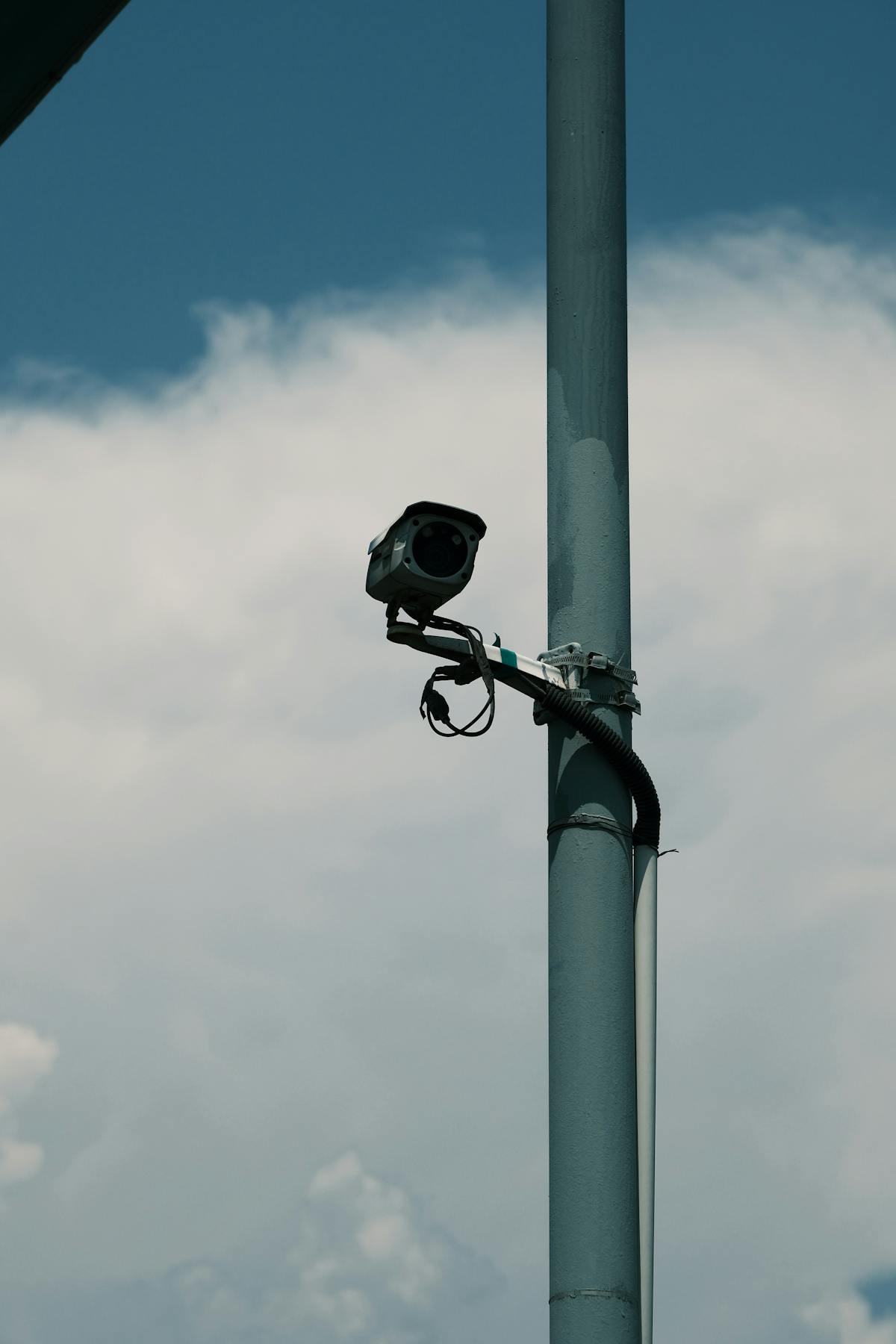

Wired PoE security camera installation delivers both power and high-definition video through a single Ethernet cable per camera, eliminating the signal drops and bandwidth limits that plague wireless systems. PoE camera systems support resolutions up to 4K and beyond at distances up to 328 feet per cable run, making them the preferred choice for large residential properties, commercial buildings, and high-security environments. Professional wired PoE installation costs $200–$500 per camera including labor and cabling, with complete residential systems ranging from $1,500–$5,000 and commercial systems from $3,000–$15,000+. This guide covers how PoE camera systems work, where they outperform alternatives, the full installation process, and what to expect on cost.
What Is Wired PoE Security Camera Installation?
Wired PoE (Power over Ethernet) security camera installation is the process of running dedicated Ethernet cables from each camera location back to a central PoE switch or PoE NVR, delivering both electrical power and digital video data over that single cable. PoE security cameras eliminate the need for separate power adapters at each camera location, which reduces installation complexity and potential failure points. The IEEE 802.3af and 802.3at standards govern PoE power delivery, supplying 15.4W and 30W per port respectively — more than enough for modern IP security cameras with infrared night vision, pan-tilt-zoom motors, and onboard analytics.
Wired PoE camera systems are considered the gold standard in professional surveillance because they provide dedicated bandwidth per camera, zero wireless interference, and consistent power delivery managed from a single location. Every commercial-grade security installation and the majority of high-end residential systems use PoE infrastructure.
How PoE Camera Systems Work
The Single-Cable Advantage (Power + Data)
PoE technology transmits electrical power alongside data signals over standard Cat5e or Cat6 Ethernet cable. Each camera receives its power and sends its video feed through one cable, which means:
- No separate power supply or outlet needed at each camera location
- Fewer cables to run through walls, attics, and conduit
- Centralized power management from one location (the network closet or NVR rack)
- Cleaner installations with less exposed wiring
- Easier troubleshooting since each cable handles everything
PoE Switches and PoE NVR Units
PoE switches and PoE NVR (Network Video Recorder) units are the two main devices that supply power to cameras over Ethernet. A PoE switch is a network device with multiple PoE-enabled ports that injects power into each connected cable. A PoE NVR combines the switch functionality with onboard video recording and storage, reducing the total equipment count.
- PoE switches are ideal when the system requires flexible network design or integration with existing IT infrastructure
- PoE NVR units are preferred for standalone surveillance systems where simplicity matters
- Most residential systems use a 4-port or 8-port PoE NVR
- Commercial installations often use a managed PoE switch paired with a dedicated NVR for scalability
- Total PoE power budget (all ports combined) must be verified before purchasing — a 16-port switch may offer 200W–250W total
Maximum Cable Run Length (100 Meters / 328 Feet)
PoE camera installations are limited to a maximum cable run of 100 meters (328 feet) from the switch or NVR to the camera. This distance limit is defined by the Ethernet standard (IEEE 802.3) and applies to both data transmission and power delivery. Beyond 100 meters, signal degradation and voltage drop make connections unreliable.
- Use Cat5e cable for runs up to 100 meters at standard PoE power levels
- Use Cat6 cable for better performance on longer runs and environments with electrical interference
- PoE extenders can push distances beyond 328 feet by regenerating the signal at intervals
- Outdoor-rated or direct-burial cable is required for any exterior or underground runs
- Cable quality matters — pure copper conductors outperform copper-clad aluminum (CCA) at longer distances
Network Architecture and IP Addressing
PoE security cameras are IP-based devices, and each camera receives its own IP address on the local network. Proper network architecture ensures cameras are accessible for live viewing and recording without compromising the main network.
- Most PoE NVRs auto-assign IP addresses to connected cameras via built-in DHCP
- Dedicated camera VLANs (virtual LANs) isolate surveillance traffic from business or home network traffic
- Static IP assignment is recommended for permanent installations to prevent address conflicts
- Remote access requires proper port forwarding or a secure VPN/P2P cloud connection
- Bandwidth planning: each 4K camera stream requires approximately 8–16 Mbps depending on compression
Advantages of Wired PoE Over Wireless and Analog
PoE cameras outperform both wireless and traditional analog systems across nearly every performance metric that matters for reliable surveillance.
| Feature | Wired PoE | Wireless (Wi-Fi) | Analog (Coax/BNC) |
|---|---|---|---|
| Video Resolution | Up to 4K+ (8MP+) | Up to 4K (often limited by bandwidth) | Up to 1080p (HD-TVI/CVI) |
| Signal Reliability | No interference, dedicated cable | Subject to Wi-Fi congestion and walls | Reliable but lower quality |
| Bandwidth Per Camera | Dedicated 100 Mbps per port | Shared across all devices | Not applicable (analog signal) |
| Power Delivery | Centralized via PoE switch/NVR | Individual power adapter per camera | Individual power adapter per camera |
| Max Cable Distance | 328 ft (100m) | 150–300 ft (signal dependent) | 1,000 ft+ (coax) |
| Scalability | Easy — add ports or switches | Limited by router capacity | Limited by DVR channels |
| Installation Complexity | Moderate — cable runs required | Low — no cable runs | High — separate power + video cables |
| Long-Term Reliability | Highest | Lowest (firmware, Wi-Fi issues) | High |
Wired PoE installation requires more upfront labor than wireless, but the long-term reliability and performance justify the investment for any property that demands consistent, high-quality surveillance coverage. Property owners preparing for a PoE project should read our guide on what to expect during installation to understand the timeline and process.
Where Wired PoE Cameras Are the Best Choice
Large Residential Properties
Wired PoE cameras are the top recommendation for homes with extensive outdoor coverage needs, multiple entry points, or properties over 2,000 square feet. Large homes frequently exceed the reliable range of Wi-Fi cameras, leading to dropped connections and missed footage. PoE provides:
- Consistent coverage across large yards, driveways, and detached garages
- Reliable operation regardless of Wi-Fi router distance or home network congestion
- Support for higher camera counts (8–16+) without bandwidth bottlenecks
Commercial and Industrial Buildings
Wired PoE camera systems are the industry standard for commercial surveillance because businesses require 24/7 uptime and cannot tolerate the signal interruptions common with wireless systems.
- Warehouses, retail stores, and office buildings rely on PoE for perimeter and interior coverage
- Industrial environments with heavy machinery and metal structures block Wi-Fi signals but do not affect Ethernet
- Integration with access control systems and alarm panels requires wired IP connectivity
Multi-Story Structures
Wired PoE cameras solve the coverage gaps that wireless systems create in multi-story buildings. Wi-Fi signals degrade significantly through floors, especially concrete and steel-frame construction. PoE Ethernet cable runs through walls and ceilings provide full-strength connections on every floor without repeaters or mesh networks.
High-Security Environments
Wired PoE cameras cannot be jammed, unlike wireless cameras that are vulnerable to Wi-Fi deauthentication attacks and signal interference. For government buildings, data centers, financial institutions, and gated communities, PoE’s hardwired connection provides tamper-resistant surveillance that meets compliance requirements.
Wired PoE Installation Process
Step 1 — Site Survey and Cable Path Planning
Wired PoE installation begins with a professional site survey to identify optimal camera positions, cable routing paths, and NVR/switch placement. The installer evaluates:
- Entry points, blind spots, and areas requiring coverage
- Distance from each camera location to the NVR or network closet (must be under 328 feet)
- Available pathways for cable — attic space, wall cavities, crawl spaces, exterior conduit
- Power availability at the NVR/switch location (a single outlet with UPS backup is ideal)
- Existing network infrastructure that may be leveraged or must be avoided
Step 2 — Running Ethernet Cable (Walls, Attics, Conduit)
Wired PoE installation requires running Cat5e or Cat6 Ethernet cable from the central NVR location to each camera position. This is the most labor-intensive phase.
- Interior runs typically route through attic space, between floor joists, or inside wall cavities
- Exterior runs use UV-rated outdoor cable inside weatherproof conduit
- Fire-rated (plenum) cable is required when running through air-handling spaces in commercial buildings
- Each cable is terminated with RJ45 connectors and tested with a cable certifier
- Proper cable management (labeling, bundling, patch panels) simplifies future maintenance
Step 3 — Camera Mounting and Weatherproofing
PoE security cameras are mounted at predetermined locations using manufacturer-specific brackets and hardware. Outdoor cameras require weatherproofing attention.
- Cameras are mounted to walls, soffits, eaves, or poles using appropriate anchors for the surface material
- Ethernet cable entry points are sealed with silicone or weatherproof cable glands rated IP66 or higher
- Outdoor cameras should be rated IP66 or IP67 for rain, dust, and temperature resistance
- Aiming and angle adjustment happens during mounting — field of view is verified on a live monitor
- Cable drip loops prevent water from following the cable into junction boxes
Step 4 — NVR Connection, Network Setup, and Testing
PoE cameras are connected to the NVR or PoE switch, and the system is configured for recording, remote access, and alerts. Final testing verifies the complete system.
- Each camera is plugged into the PoE NVR or switch and verified for power and video signal
- Recording schedules are configured — continuous recording, motion-triggered recording, or both
- Remote viewing is set up via manufacturer app or secure web interface
- Motion detection zones, sensitivity, and notification preferences are configured per camera
- Night vision, image quality, and frame rate are verified under actual lighting conditions
- A full walkthrough test confirms zero blind spots and proper coverage overlap
Wired PoE Camera Installation Cost
Wired PoE installation costs $200–$500 per camera including labor and cabling, with full systems ranging from $1,500–$5,000 for residential properties and $3,000–$15,000+ for commercial buildings.
Labor and Cable Running Costs
Wired PoE installation labor is the largest cost variable because cable running difficulty depends on building construction and access.
| Labor Component | Typical Cost |
|---|---|
| Cable running per camera (easy access — open attic, short run) | $75–$150 |
| Cable running per camera (moderate — finished walls, 1-2 floors) | $150–$300 |
| Cable running per camera (difficult — concrete, long run, conduit) | $250–$500 |
| Camera mounting and aiming (per camera) | $50–$100 |
| NVR setup, network config, and testing | $150–$300 |
Equipment Costs (Cameras, NVR, Switch, Cable)
PoE camera equipment costs vary by resolution, brand, and feature set. Budget-friendly systems use 2MP–4MP cameras, while premium installations use 4K cameras with AI-powered analytics.
| Equipment | Budget Range | Mid-Range | Premium |
|---|---|---|---|
| PoE camera (per unit) | $50–$80 | $100–$200 | $250–$500+ |
| PoE NVR (8-channel) | $150–$250 | $300–$500 | $600–$1,200 |
| PoE switch (8-port) | $50–$80 | $100–$200 | $250–$500 |
| Cat5e cable (1,000 ft box) | $80–$120 | $120–$180 (Cat6) | $150–$250 (Cat6 outdoor) |
| Hard drive — 2TB–4TB (for NVR) | $60–$80 | $100–$150 | $200–$350 (surveillance-rated) |
Residential vs Commercial Pricing
PoE camera system pricing scales with camera count, cable run complexity, and equipment tier.
| System Type | Camera Count | Typical Total Cost (Installed) |
|---|---|---|
| Small residential | 4 cameras | $1,500–$2,500 |
| Large residential | 8–12 cameras | $3,000–$5,000 |
| Small commercial | 8–16 cameras | $3,000–$8,000 |
| Large commercial / industrial | 16–32+ cameras | $8,000–$15,000+ |
Get a detailed breakdown of security camera installation cost for your specific property type.
Get a Free Wired PoE Installation Quote
Wired PoE security camera installation is the most reliable long-term surveillance investment for both residential and commercial properties. A professional installer will survey your property, plan optimal camera placement and cable routes, and deliver a system that runs without the signal drops and bandwidth limitations of wireless alternatives.
Request your free quote today — a local security camera installation professional will assess your property and provide an itemized estimate for a complete wired PoE camera system tailored to your coverage needs and budget.
What Is PoE? (Power over Ethernet Explained)
PoE (Power over Ethernet) is a networking standard defined by IEEE 802.3af/at/bt that allows Ethernet cables to carry electrical power alongside data. PoE eliminates the need for dedicated power lines to network devices like security cameras, VoIP phones, and wireless access points. The technology works by injecting DC voltage onto the unused wire pairs (or all pairs in newer standards) within a standard Ethernet cable. PoE has become the backbone of modern IP camera installations because it simplifies wiring, centralizes power management, and reduces total installation cost.
Learn more about how Power over Ethernet works and its role in security systems.
Running Security Camera Cables Through Walls
Running security camera cables through walls is the most skill-intensive part of any wired PoE installation. Professional installers use fish tapes, glow rods, and flexible drill bits to route Ethernet cable through finished walls without damaging drywall or insulation. Proper cable routing avoids electrical wiring (maintaining the required separation from high-voltage lines), follows local building codes, and uses fire-stop caulking when penetrating fire-rated walls. Exterior cable penetrations require weatherproof sealing to prevent water intrusion.
Homeowners choosing between wired and wireless systems can compare the trade-offs in our wired vs wireless security cameras guide.